Release Notes: Spring ’26 1.6.0
Updated 2026-06-18
Note
This version was published on 11 June 2026.
Summary
Release 1.6.0 is focused on making event participant syncing easier to operate, easier to review, and more useful for day-to-day event support teams.
The main improvements are:
- Better and easier participant matching between AlumnIQ event records and Salesforce Contacts within the AlumnIQ Sync app in SF
- Additional participant field push: party identifier, party role identifier, minor age
- Improved change tracking when participant identity links are updated
- Customer-facing control to pause or disable sync when needed
- Salesforce-mandated connected app security compliance work
Note
If you are prepared to handle unmatched participants, file a help ticket with AlumnIQ to have us start sending them. This change cannot be done on your end (we’re overcautious about things like this).
Security Changes
We’ve expanded our permission sets so that you have more flexibility with roles and functions each can perform. We’ve added new ones for top-level system governance capabilities as well that you’ll want to keep close-hold.
We urge you to consult the Quick Reference table in the permission sets guide for details as well as the newly-added permission set assignment examples for even more detail on what to assign to whom and when.
Details
1. Event participant auto-matching
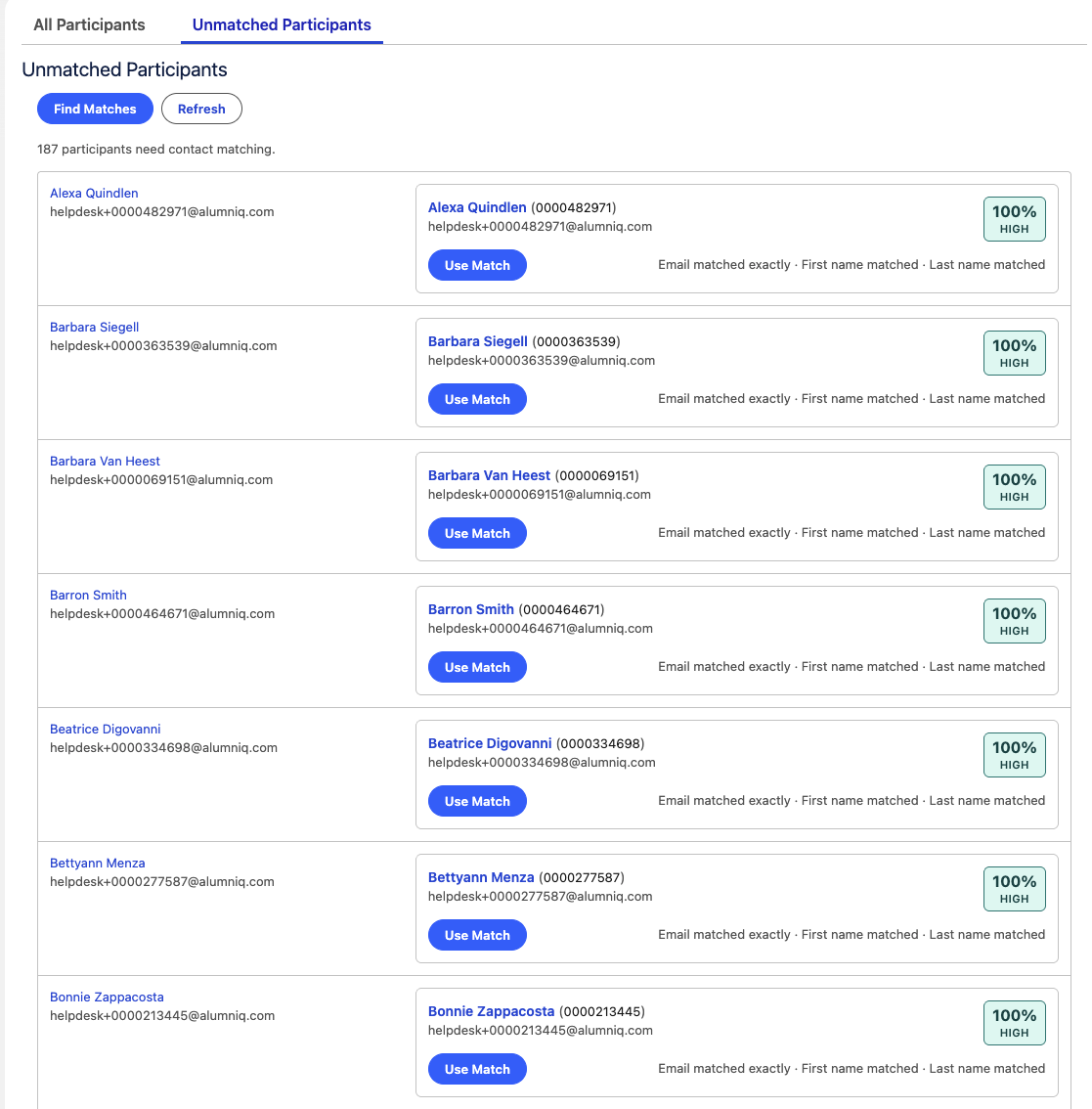
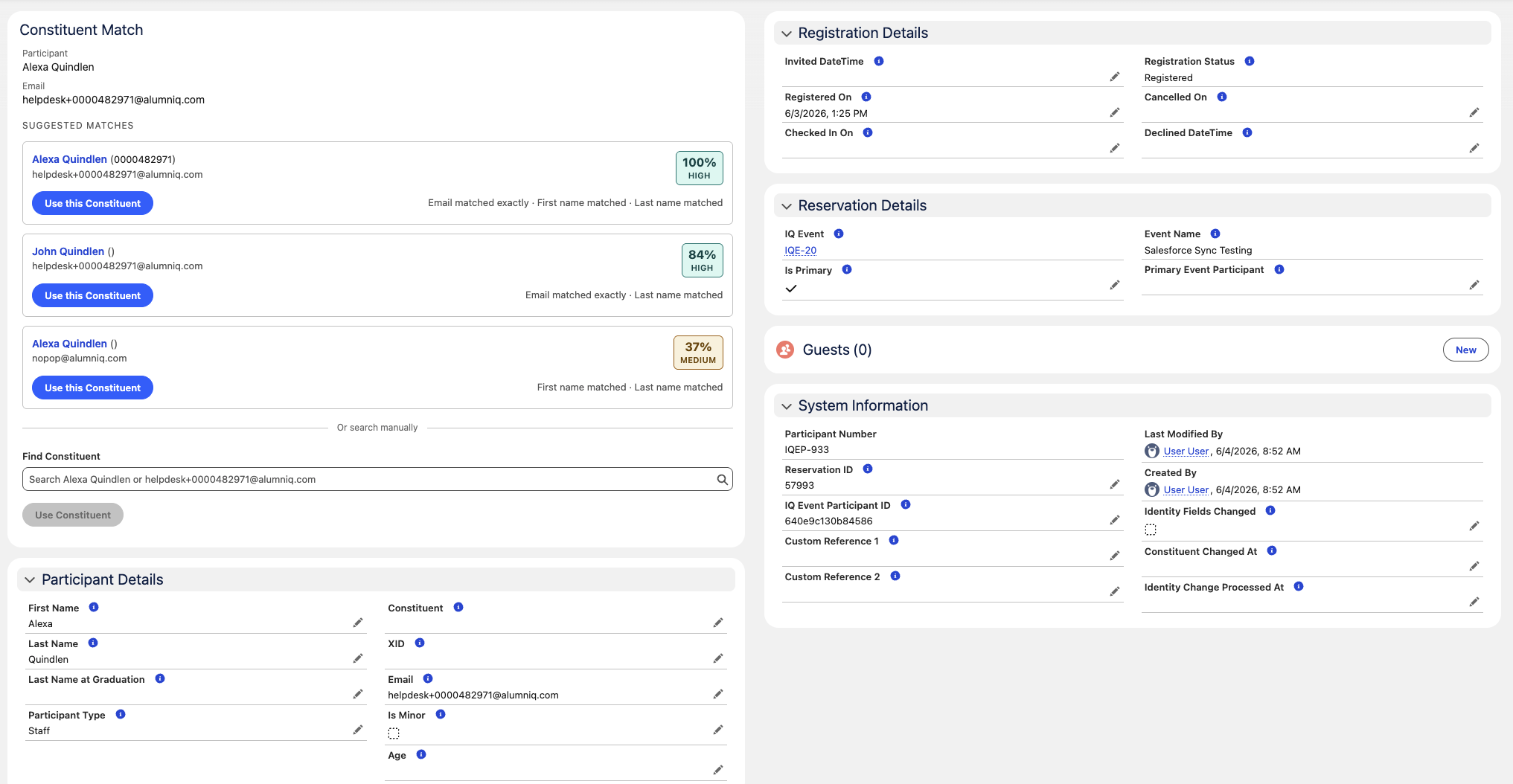
This release includes a guided matching experience to help staff connect unmatched event participants to existing Salesforce Contacts. If you don’t get the matching done within the AlumnIQ tools, within Sync is the next best thing.
Expected benefits:
- Reduce manual participant cleanup after event imports
- Help users quickly identify likely Contact matches
- Allow staff to confirm, override, save, or clear matches from the Salesforce record page
- Improve consistency of participant-to-Contact links across events
This is intended to support both event-level review and individual participant review.
Mass matching:
Individual match with scoring:
2. Reservation, minor, and primary participant support
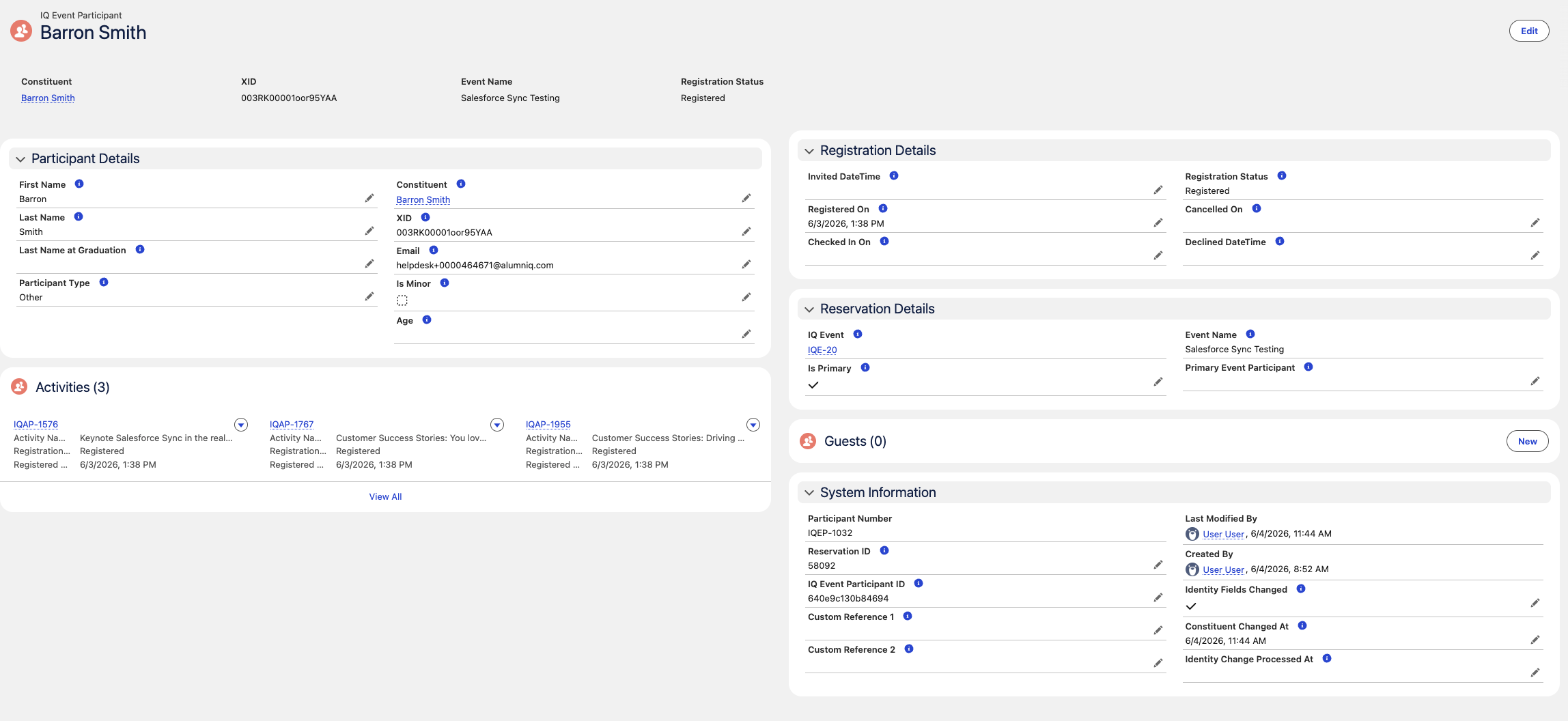
Event participant records have been enhanced to make connections between event participants far more clear.
- Reservation ID - the AlumnIQ common party identifier
- Primary participant indicator
- Relationship established between guests and the primary participant for the party
- Minor indicator
- Minor age (since we only capture it for minors)
Expected benefits:
- Better visibility into party shape/size and who, exactly, is in charge here
- Clear delineation between adults and minors to help decision support on the creation of Contact records
3. Participant identity change tracking
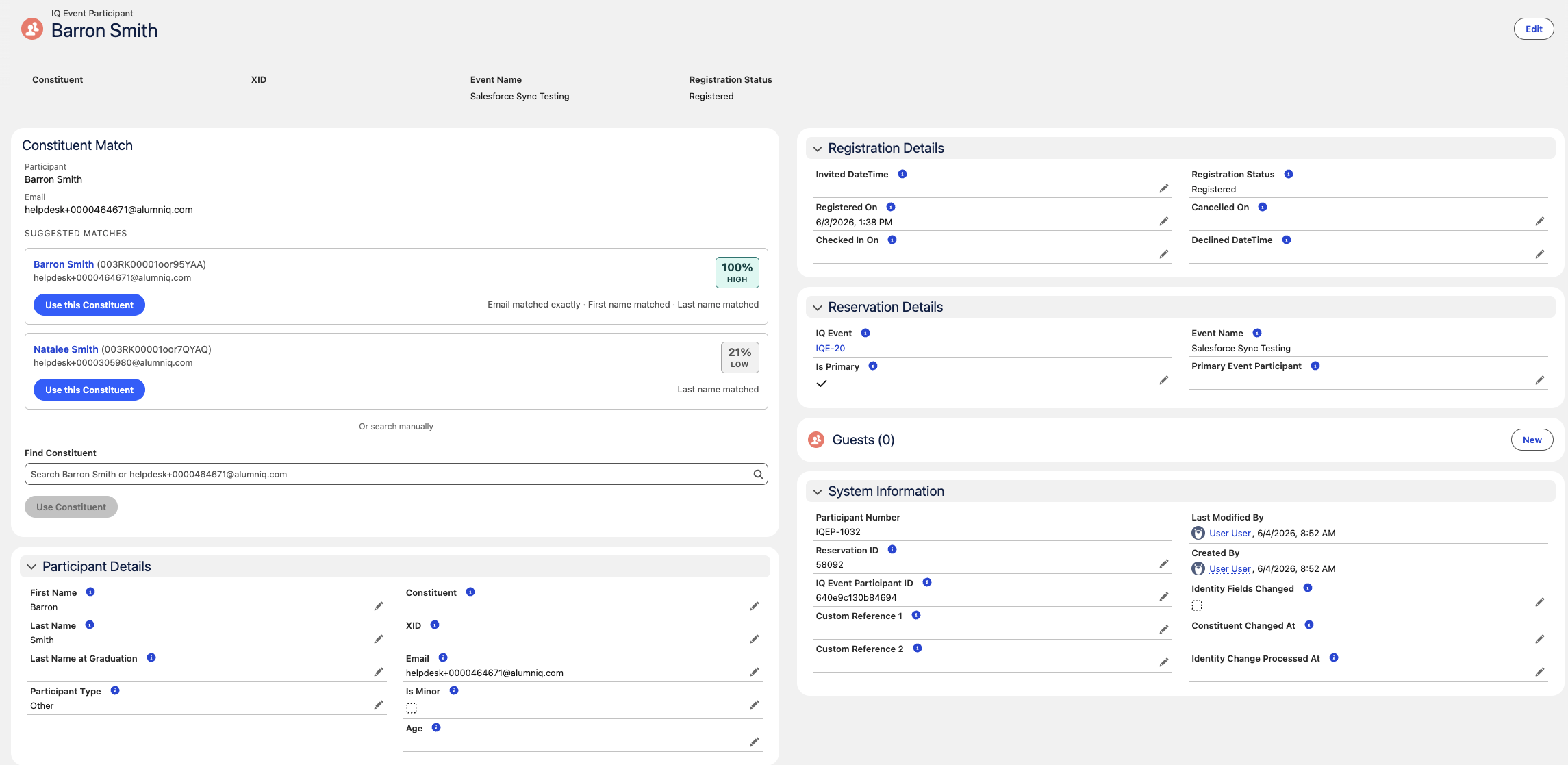
When a participant is linked to a different Contact or has its external identity updated, Salesforce will record that change.
Expected benefits:
- More reliable downstream processing after manual corrections
- Better visibility into records that need follow-up sync handling
- Reduced risk of missed updates when participant/contact links are corrected in Salesforce
This is mainly operational, but customers should see more dependable behavior after participant matching or correction work. AlumnIQ expects to update our local registration records based on these recorded SF-local changes to ensure no flip flopping of associations.
Changes are recorded with a flag, timestamp, and user in the bottom right panel on the participant record:
4. Salesforce-managed sync control
There may be times you want to pause AlumnIQ Sync data delivery. This release includes a control that permits an authorized customer admin to pause or disable AlumnIQ sync behavior from within Salesforce when needed - just don’t forget to turn it back on.
Planned behavior:
- Admins will have a clear way to turn sync on or off without contacting AlumnIQ engineering
- When sync is disabled, scheduled jobs can still run but will stop before performing sync work (no upserts pushed to SF)
- The current setting and recent changes will be visible for support and audit purposes
- Access to manage this control will be limited through Salesforce permissions sets
Expected benefits:
- More customer control during maintenance, troubleshooting, or data review windows
- Faster response when a customer needs sync activity paused
- Better operational visibility for admins and support teams
- Safer package behavior in customer orgs
5. Salesforce mandated connected app security compliance
Release 1.6.0 planning also includes work related to Salesforce connected app security requirements for authentication and token handling.
This work is important for continued Salesforce interoperability, but it is not expected to be visible to customers at all. We’re including it in release notes just so there’s record of it being addressed.
What customers should expect
Before or during the 1.6.0 rollout, customers may be asked to:
- Review who should have access to participant matching tools
- Validate participant matching behavior in a sandbox or test environment
- Decide which authorized admins should be allowed to pause or disable sync
- Review any connected app security guidance if their integration setup is affected